Enhanced Login Project
Redesigning the Client Login Experience: Faster, Simpler, and More Accessible.
True Potential LLP
Finance, Technology, AI
Lead Product Designer
Ongoing
Ease of use
9.5/10
Clarity
9.1/10
Setting the scene
Logging in shouldn't be difficult. But for clients, there were clear pain points.
Data showed too many people were getting locked out, stuck on confusing pages, or bouncing before they could even get in. On top of that, our support were receiving nearly 7,000 calls a year just to help people log in.
The goals
Cut down login-related support calls by 20% within 3 months.
Get 90% of users logging in successfully on their first attempt.
Reduce the average login time to under 45 seconds.
Hit full WCAG 2.2 accessibility compliance.
Encourage more people to use biometric login (Face ID, fingerprint) — aiming for a 20% increase in adoption.
In short: fewer barriers, faster access, happier users.
The challenges
Average time spent on login pages: 100 seconds.
5% of all support calls were login-related, eating up nearly a quarter of agent time.
Biometric login use was actually dropping (down 21%), meaning users didn’t trust it or couldn’t find it.
Pages looked and behaved differently across devices, and accessibility compliance wasn’t nailed down yet.
We couldn’t just build something powerful. It had to feel safe, simple, and smart.
Research & insights
Business Requirements
The business needed a login that reduced call centre demand, was future-proofed with modern tech (biometrics, QR login, 2FA), stayed consistent with our brand, and crucially, was fully compliant with WCAG 2.2 so every client could use it with confidence.
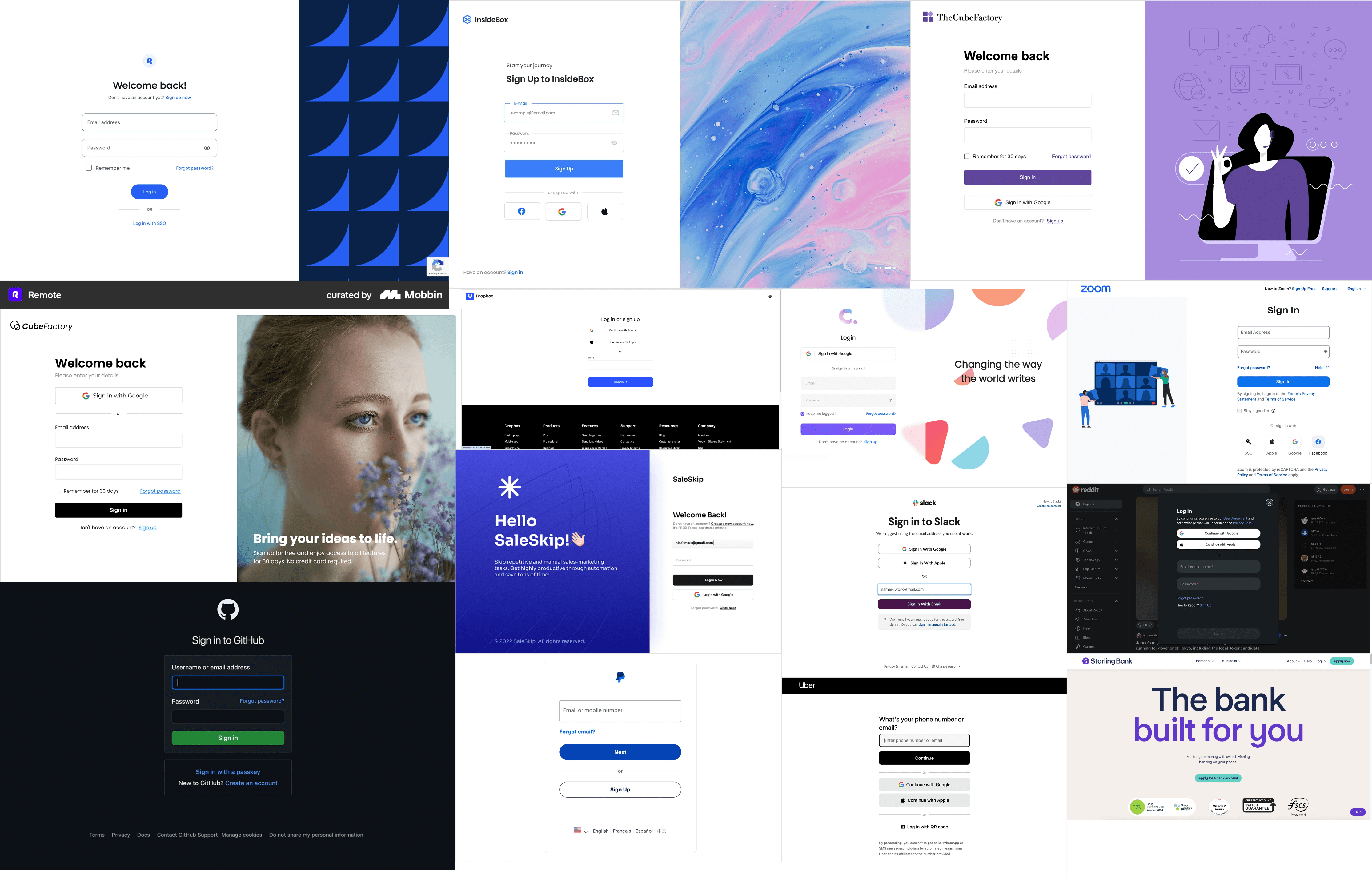
Competitive benchmarking
I ran a deep dive into competitor login journeys: banks, fintech apps, and even utility providers. I looked at everything from first login screens to forgotten password flows, two-factor authentication, “need help?” journeys, and error validation.
Some stood out with smooth biometric adoption and clever QR code flows. Others hid “help” links in tiny footers or had clunky error handling. The benchmarking made one thing clear: clarity, consistency, and recovery options are just as important as speed.
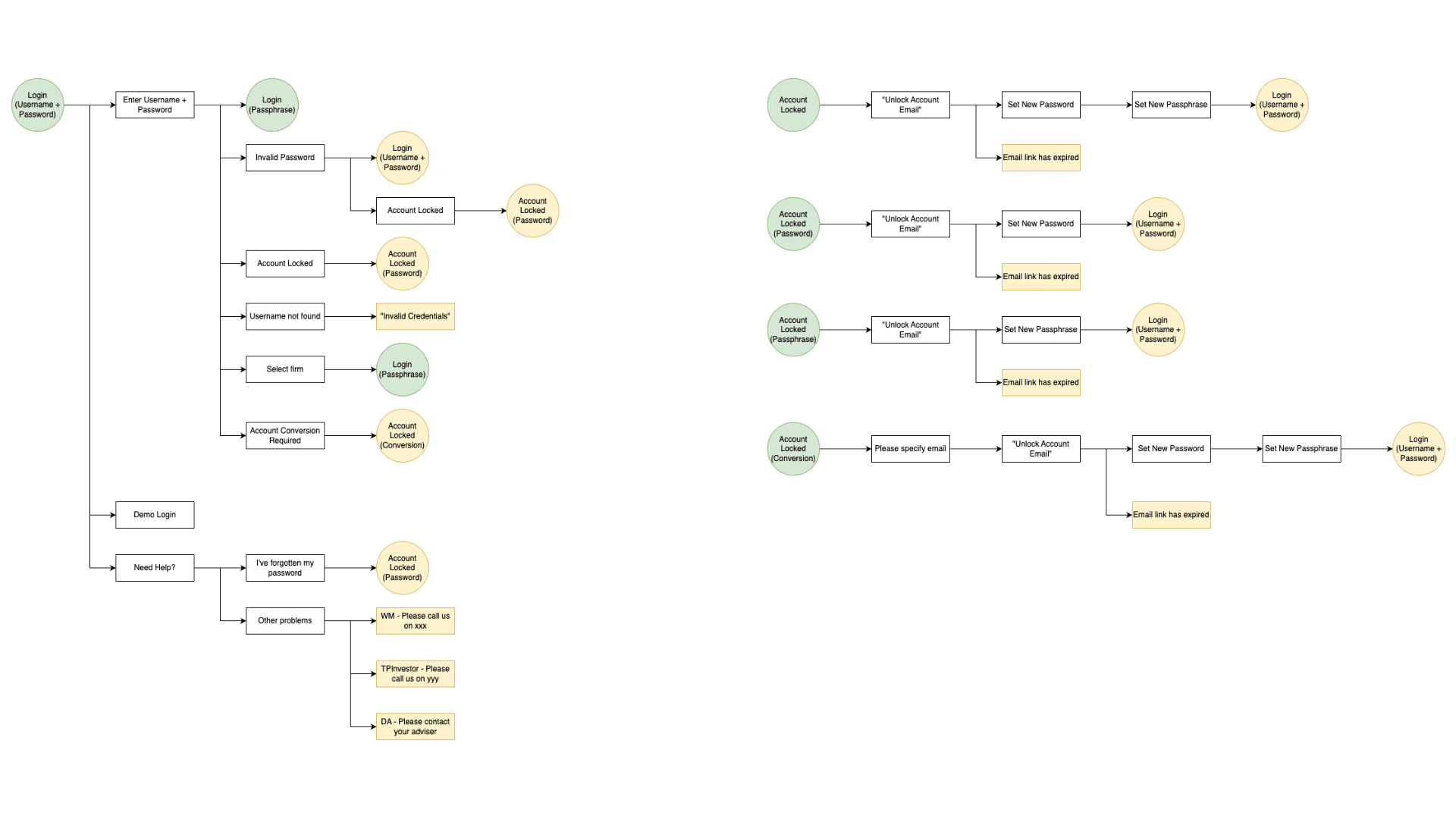
Mapping The Flows
Using Miro, I mapped out successful and failed login journeys, covering everything from a smooth Face ID login to the dreaded “account locked” moment. This gave stakeholders a clear view of how the redesigned flow would actually work, across all the possible paths a client could take.
From Idea to Interface
Sketching: I started small, quick pencil sketches to test ideas without burning time.
Wireframes: These became clean, branded mockups in Adobe XD.
Interactive Prototypes: Stakeholders could now click through the flows themselves, testing language, error states, and navigation before we polished visuals.
Feedback Loops: Stakeholders reviewed flows before we went high fidelity, iterated designs based off feedback and worked alongside a UX writer to make sure the tone / language used was simple enough for our users to understand.
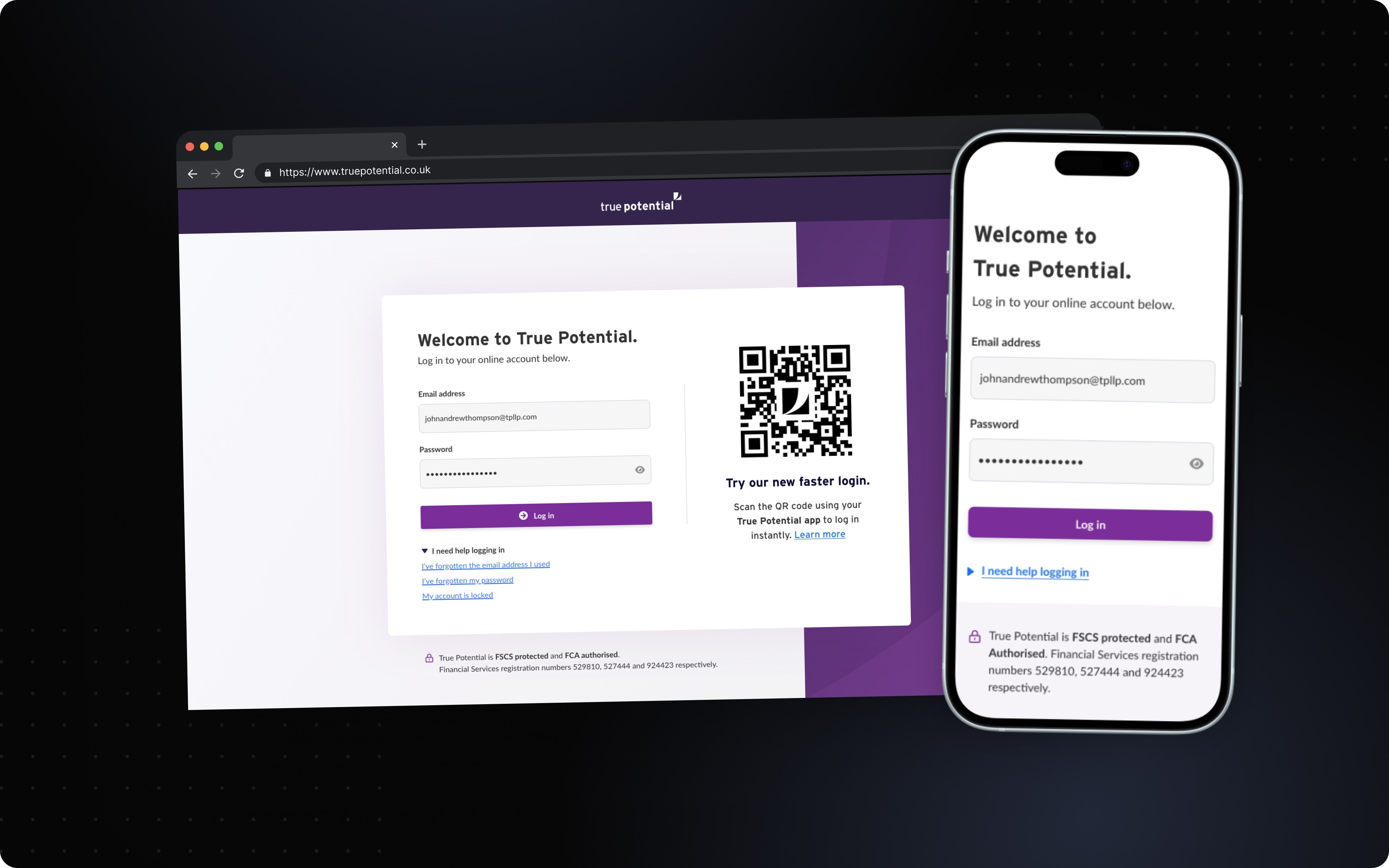
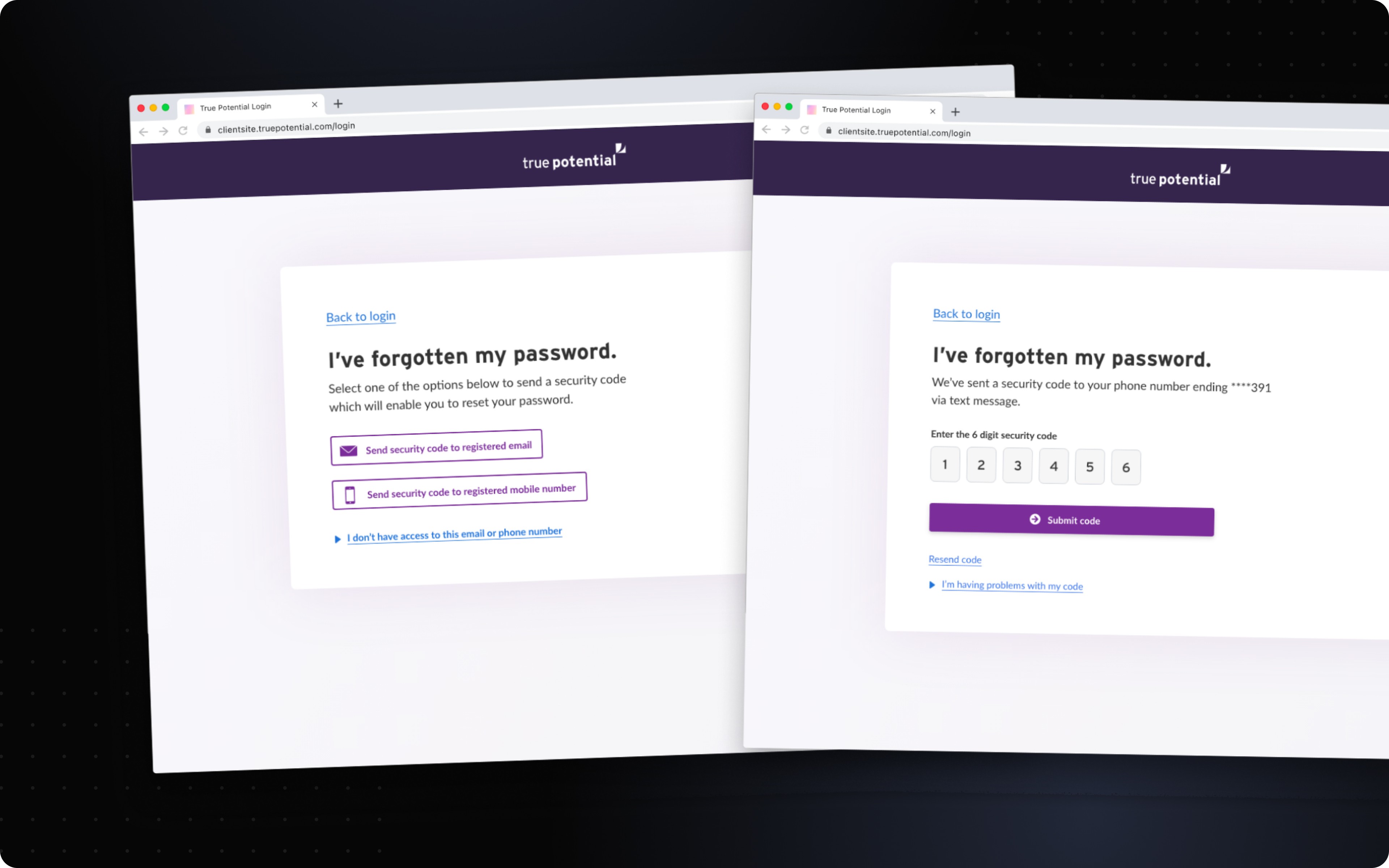
High Fidelity Designs
The result - A login experience that feels modern and seamless, while being accessible to everyone.
View full login designs (desktop), View full login designs (mobile web)
Testing
This project had three key phases of testing, supported by a UX Research consultant and a UX Writer:
Phase 1: Concept Validation
Method: Unmoderated tests with clickable wireframes.
Goal: Check if language, CTAs, and page purpose were crystal clear.
Phase 2: Prototype Validation
Method: Moderated tasks in UAT with dummy accounts.
Goal: Test real-world scenarios like error recovery, password resets, and account lockouts.
Phase 3: Live A/B Testing (planned)
Method: Split test between current vs. redesigned login.
Goal: Measure bounce rate, success rate, and call deflection impact.
What Users Told Us
Sample size: 40 clients - a mix of desktop, mobile, new users, older users, and low-confidence digital users.
We asked:
Where do you look first?
Was anything confusing or unexpected?
How confident do you feel logging in now vs. before?
A summary of findings:
Overwhelmingly positive feedback with the designs praised for its clarity, intuitiveness and trust.
Users frequently used words such as 'easy' and 'straightforward'.
Users frequently reported that no further instruction or guidance was required to complete the task of logging in.
See user rating scores below:
Ease of use:
9.5/10
Clarity:
9.1/10
Feedback Highlights
“Nothing was confusing at all. I did the task very easily.”
“Nice UI, presented well… the dashboard had a nice clear navigation.”
Measuring Success
The new login flow is currently moving into development, with measurable impact to be tracked through live A/B testing. Early indicators suggest we’re on track to hit our targets for:
Reduced support load.
Faster, clearer login journeys.
Higher biometric adoption.
Full accessibility compliance.
Conclusion
A login page might look simple, but getting it right has a massive impact. By tackling friction points, validating flows with users, and building accessibility in from the start, we’re not just reducing support calls, we’re giving clients a login that feels smooth, modern, and trustworthy.